
Tech No Phobia - Episode 1.6
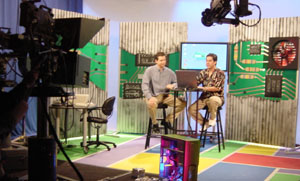
Tech No Phobia airs on  every Tuesday at
5:30pm MST and repeats on Saturdays at 4:00pm MST.
every Tuesday at
5:30pm MST and repeats on Saturdays at 4:00pm MST.
- Recycling your old technology
- Securely erasing your data
- Internet Hoaxes
- Spam Filters
- 'Flash' memory breakdown
- 'Ripping' CDs
Resources
Recycle your old technology properly!
Did you know that computers and most electronic devices are chock full of toxic chemicals and are considered hazardous waste?
Toxic materials like lead, mercury and even arsenic are present in electronic components, so never throw away any electronics in your trash dumpster, especially monitors and televisions, because they can have up to 8 pounds of lead. So what can you do with this e-waste? Donate it or recycle it…
We recommend donating any old technology to the
StRUT (Students Recycling Used Technology) program so that it might possibly be put to use or at least recycled properly!
Before you donate your old computer, make sure that you securely delete the data!
If you want to make sure your deleted data is gone for good, check out this week's "Super Geek Tip of the Week!"
Don't fall for that e-mail HOAX!
Most of us get lots of warnings via e-mail telling us to watch for certain viruses or worms. But how do you know if the warning is legitamate?
We suggest always checking with sites such as Vmyths.com and HoaxBusters before acting upon any warning message no matter how real it may sound!
Use Spam filters to cut down on unsolicited junk e-mail!
Junk e-mail is bad and is only going to get worse! There are a number of programs that are availabe for sale that can filter your e-mail, but we have a couple of suggestions for programs that are free and do a pretty darn good job!
Give these a try:
How do I know which type of 'flash memory' to commit to?
In the market for a digital camera? Confused about which memory format is the best for you? Learn more about 'flash memory' formats here!
Turn your computer into a digital jukebox!
It’s simple once you know how to “rip†CDs and we don’t mean steal music from the Internet!
Ripping CDs refers to transferring your favorite CDs to your hard drive in a compressed format, such as MP3, so you can have thousands of songs on a standard hard drive…
Our favorite program is the free version of MusicMatch Jukebox!
For instructions on how to rip CDs using MusicMatch Jukebox, click here!
Once you have created your jukebox, connect your computer to your stereo using a standard mini-to-RCA cable!
If your computer is not near your stereo, you can transmit your music wirelessly by using something like this!


